
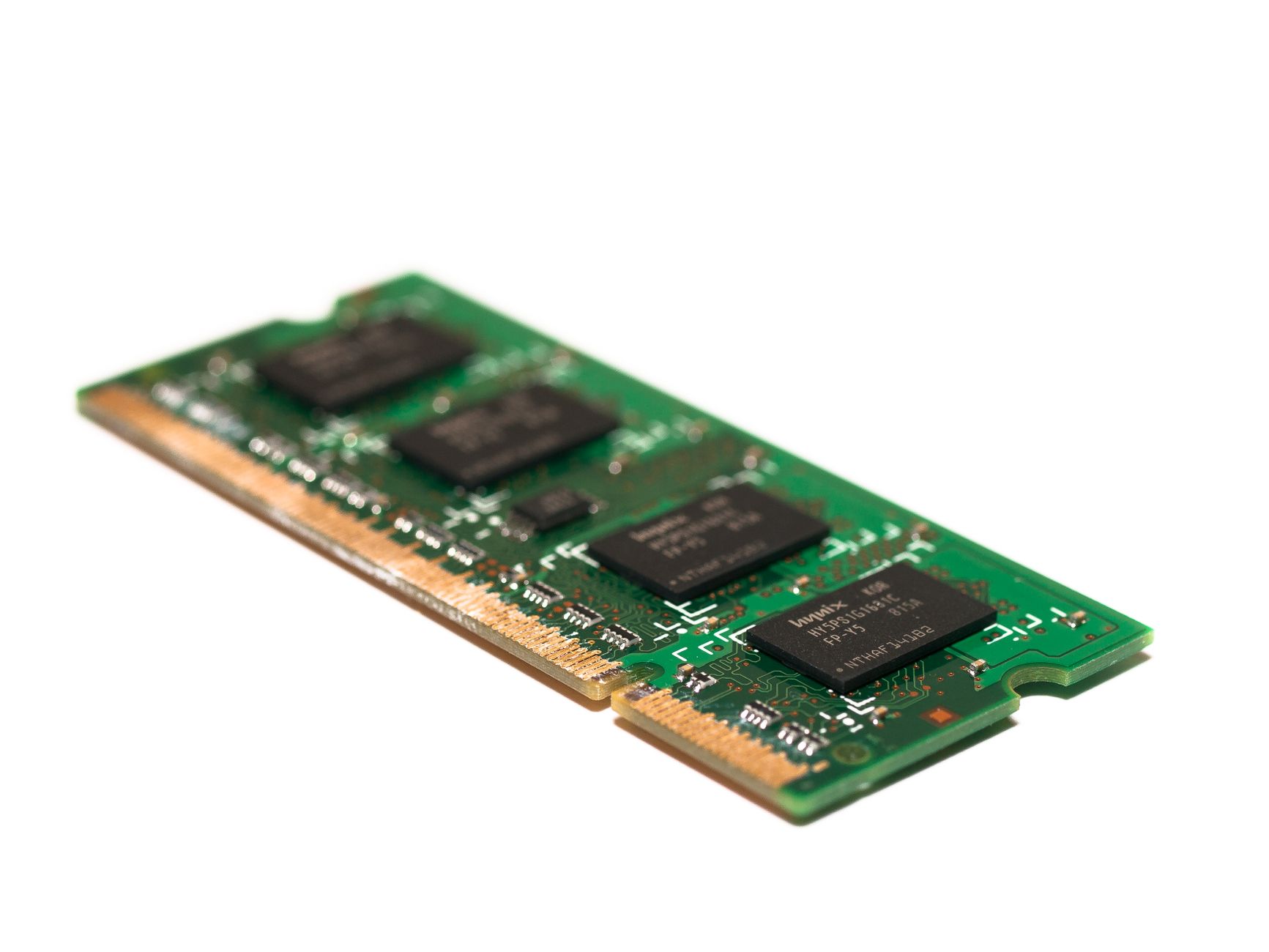
RAM, or Random Access Memory, is a critical component of modern computing devices. It serves as temporary storage for data that the CPU needs to access quickly. Understanding what RAM is and its impact on computer performance is essential for anyone looking to enhance their device’s capabilities or troubleshoot existing issues.
In this article, we will explore the intricacies of RAM, including its types, functions, capacity considerations, and overall performance. By the end, you will have a comprehensive understanding of this vital element of your computer system.
What Is RAM?
RAM stands for Random Access Memory, a type of volatile memory that temporarily stores data and machine code currently being used by a computer or other devices. Unlike permanent storage methods such as hard drives or SSDs, RAM loses its contents when the power is turned off.
RAM plays an essential role in managing active processes and tasks. It allows for quick read and write access to a storage medium that the processor can reach far faster than data stored on a hard drive or SSD. This rapid access is crucial for the smooth operation of applications and the overall user experience.
Types of RAM
There are several types of RAM, each designed to meet different needs. The following are the most common types:
- DRAM (Dynamic Random Access Memory): This is the most standard type of RAM found in computers. DRAM stores each bit of data in a separate capacitor within an integrated circuit, which needs to be refreshed thousands of times per second.
- SRAM (Static Random Access Memory): Unlike DRAM, SRAM uses multiple transistors for each memory cell, making it faster and more reliable, though also more expensive. It is typically used in CPU caches.
- SDRAM (Synchronous Dynamic Random Access Memory): SDRAM synchronizes with the CPU’s clock speed, allowing for higher performance than standard DRAM. It often comes in the form of DDR (Double Data Rate) types.
- DDR SDRAM (Double Data Rate Synchronous Dynamic RAM): This type of SDRAM transmits data on both the rising and falling edges of the clock signal, effectively doubling the data transfer rate. Variants include DDR2, DDR3, DDR4, and the latest, DDR5.
- LPDDR (Low Power Double Data Rate): Specifically designed for mobile devices, LPDDR RAM uses less power, helping to extend battery life while providing sufficient performance.
Understanding RAM Capacity
RAM capacity is a critical factor influencing performance. It is typically measured in gigabytes (GB) and indicates how much data can be handled at once. Higher RAM capacity allows for better multitasking and overall system performance, especially when running multiple applications simultaneously.
Common RAM Capacities
Understanding various RAM capacities can help users select the appropriate amount for their needs. Here’s a general breakdown:
- 4 GB: Basic usage such as web browsing, word processing, and light multitasking.
- 8 GB: Suitable for moderate multitasking and moderate gaming. It can handle more applications and browser tabs simultaneously.
- 16 GB: Recommended for gamers, graphic designers, and other professionals who run demanding applications.
- 32 GB and above: Ideal for heavy multitasking, video editing, professional-grade content creation, and high-end gaming.
How RAM Affects Performance
RAM directly impacts your system’s performance. More RAM allows for greater speed and efficiency when running applications. Here are some critical aspects of how RAM influences overall system performance:
- Application Performance: Applications require memory to store and process data. Insufficient RAM can lead to slow performance, as the system may rely on the slower hard drive or SSD for temporary storage.
- Multitasking: The more RAM you have, the better your system can handle multiple applications running at once without becoming unresponsive.
- Gaming: Modern games require substantial amounts of RAM. More RAM allows games to load faster and run more smoothly, resulting in an improved gaming experience.
- File and Data Management: Dedicating more RAM to processing can enable faster file transfers and data manipulation, improving productivity for tasks like video editing or 3D modeling.
Upgrading RAM: Why and When?
Upgrading RAM can significantly boost your computer’s functionality and speed. Signs that indicate it may be time to upgrade include:
- Frequent application crashes or freezes.
- Longer boot-up times.
- Consistently high memory usage as shown in the Task Manager (Windows) or Activity Monitor (macOS).
- Slow performance when multiple applications are open.
When considering an upgrade, it’s vital to check compatibility with your motherboard and the type of RAM already installed. Most systems will use either DDR4 or DDR5 RAM, and not all motherboards support every type.
How to Install RAM
Upgrading RAM can be a straightforward process. Here’s a general guide on how to install RAM:
- Power off the computer and unplug it from the electrical outlet.
- Open the computer case according to the manufacturer’s instructions.
- Locate the RAM slots on the motherboard.
- If replacing existing RAM, gently push the clips on either side of the memory module to release it.
- Align the new RAM module with the notch in the slot and gently press it down until the clips lock into place.
- Close the computer case and reconnect it to power.
- Boot up the computer and confirm that the new RAM is recognized in the system settings or BIOS.
For a more detailed guide on installation, check out this resource.
Troubleshooting RAM Issues
RAM issues can manifest in various ways, including system crashes, boot failures, or performance lags. Here are steps you can take to troubleshoot potential RAM problems:
- Check RAM Compatibility: Ensure that the RAM installed is compatible with your motherboard.
- Run Memory Diagnostics: Use built-in tools like Windows Memory Diagnostic or MemTest86 to check for errors in RAM.
- Reseat RAM Modules: Sometimes, simply removing and reinserting the RAM can resolve contact issues.
- Test RAM Modules One at a Time: If multiple sticks are installed, test them individually to pinpoint any faulty modules.
If you suspect a faulty RAM module, replacing it may be necessary to restore optimal performance.
Choosing the Right RAM for Your Needs
When considering which RAM to purchase, several factors should guide your decision:
Determine Your Requirements
First, assess your primary usage scenarios. Considerations may include:
- General use – An office computer may suffice with 8 GB of RAM.
- Gaming – Desktop gamers might want a minimum of 16 GB for maximum performance.
- Creative work – Video editing or 3D design may require upwards of 32 GB for fluidity.
Check Compatibility
Next, verify your current system’s specifications. Consult your motherboard manufacturer’s website or use system diagnostic tools to confirm the type and speed of RAM your system supports.
Understand RAM Speed
RAM speed is measured in megahertz (MHz) and indicates how quickly data can be read or written. Higher speed can lead to better performance, particularly in tasks requiring significant memory bandwidth.
Future Trends in RAM Technology
RAM technology is continually evolving. Manufacturers explore new methods to enhance speed, efficiency, and capacity. Some emerging trends include:
- DDR5: This technology promises significant improvements in speed and efficiency compared to its predecessor, DDR4.
- 3D NAND Memory: Development in 3D stacking technology aims to improve storage density and performance, potentially leading to more advanced memory architectures in the future.
- Unified Memory Architecture: This approach aims to integrate RAM and storage to simplify memory management and improve performance across devices.
Conclusion
Understanding RAM is vital for optimizing computer performance and enhancing user experience. With considerations for capacity, speed, and types, users can make informed decisions that best suit their computing needs. When upgrading or troubleshooting, ensure compatibility and capacity align with your requirements.
By proactively managing RAM, users can ensure that their systems remain responsive and efficient, whether for casual web browsing, intense gaming, or professional content creation.
To dive deeper into the topic of RAM, check out what RAM stands for and explore ways to enhance your computer’s performance.