
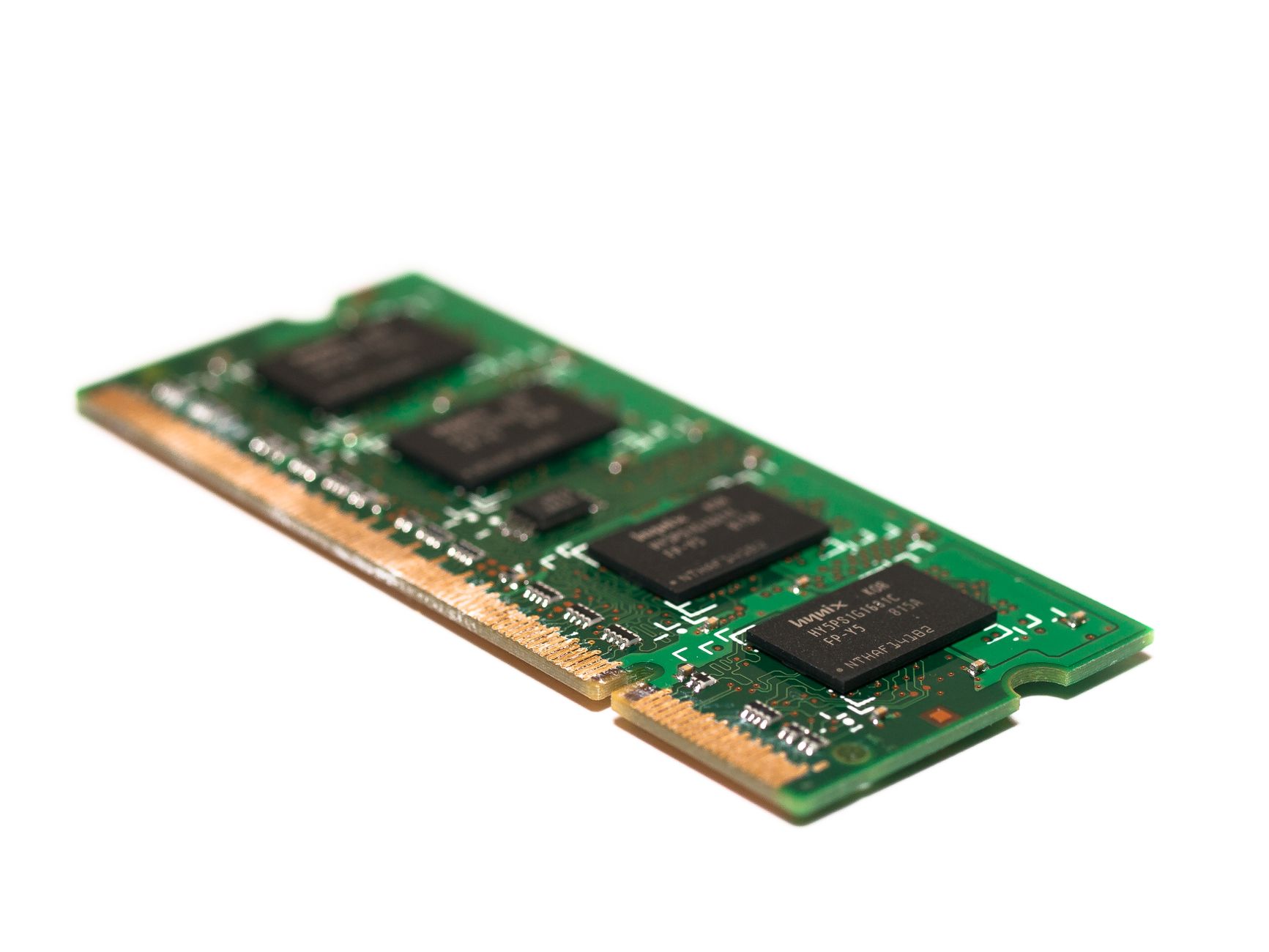
Random Access Memory (RAM) is a crucial component of modern computing devices, affecting their performance and overall functionality. Understanding what RAM stands for, its types, features, and how it operates is essential for anyone looking to optimize their technology experience.
This guide will explore the various aspects of RAM, helping you make informed decisions whether you are upgrading your system, buying new hardware, or simply trying to learn more about computer architecture.
What Does RAM Stand for?
RAM stands for Random Access Memory, a type of volatile memory used in computing devices to store data that is actively being used or processed by the CPU. Unlike permanent storage options like hard drives or SSDs, the data in RAM is lost when the power is turned off.
Types of RAM
There are several types of RAM, each with different characteristics and uses. The most commonly used types are:
- DRAM (Dynamic RAM): This is the most prevalent type of RAM used in computers. DRAM stores each bit of data in a separate capacitor within an integrated circuit, which requires constant refreshing to maintain the data.
- SRAM (Static RAM): Unlike DRAM, SRAM does not need to be refreshed as often, making it faster but more expensive. It is often used in cache memory in processors due to its speed.
- SDRAM (Synchronous DRAM): SDRAM synchronizes with the system clock, allowing for faster data processing. It is commonly found in modern desktops and laptops.
- DDR SDRAM (Double Data Rate Synchronous DRAM): DDR SDRAM processes data on both the rising and falling edges of the clock cycle, effectively doubling the data rate. Variants include DDR2, DDR3, DDR4, and the latest, DDR5.
- VRAM (Video RAM): This type of RAM is specifically designed for graphics and video applications. It stores image data for a computer’s display and is typically used in graphic cards.
Key Features of RAM
RAM comes with a variety of features that influence its performance:
- Volatility: As mentioned earlier, RAM is volatile, meaning it loses its data when the power is turned off. This distinguishes it from non-volatile memory like SSDs and HDDs.
- Speed: RAM speed is measured in nanoseconds and indicates how quickly the memory can be accessed. Faster RAM can lead to better system performance.
- Capacity: The amount of data that RAM can hold is measured in gigabytes (GB). More RAM allows a computer to run more applications simultaneously and handle larger datasets.
- Form Factor: RAM modules come in various sizes and shapes, with DDR4 and DDR5 being the most common for modern desktops and laptops. SO-DIMM is a smaller form factor used in laptops.
- Dual Channel and Multi-Channel Architecture: Many motherboards support dual-channel or multi-channel configurations, allowing RAM to operate more efficiently by increasing bandwidth.
How RAM Works
RAM serves as a high-speed buffer between the CPU and permanent storage. Here’s how it works in a simplified manner:
- Loading Data: When you open an application or file, the operating system loads the necessary data from the storage drive into RAM.
- Accessing Data: The CPU retrieves data from RAM as it performs calculations or executes commands. Because RAM is faster than other storage types, this provides a quicker response time.
- Writing Data: If the application modifies the data, those changes are written back to RAM. When the application is closed, the system can either save the data back to a permanent storage device or delete it if it’s no longer needed.
RAM operates alongside the CPU, significantly affecting the system’s overall speed and responsiveness. It’s vital for multitasking and running demanding applications, such as video editing software and games.
RAM and Its Role in Computer Performance
Understanding the role of RAM in overall computer performance is essential for making informed hardware decisions. Here’s how RAM impacts your computing experience:
- Multitasking: More RAM allows you to run multiple applications simultaneously without significant slowdowns. If you often switch between applications, consider upgrading to at least 8GB of RAM.
- Gaming: Most modern games require a substantial amount of RAM to deliver smooth performance. While specifications vary, 16GB is currently considered a good baseline for gaming.
- Creative Work: For tasks like video editing, graphic design, and 3D modeling, having sufficient RAM can help you work with larger files more efficiently.
- Load Times: Adequate RAM can reduce application load times, improving your overall experience with your device.
Upgrading RAM: Considerations and Benefits
Upgrading RAM can be a cost-effective way to boost your computer’s performance. Here are factors to consider before making an upgrade:
- Compatibility: Ensure that the RAM is compatible with your motherboard’s specifications, including form factor and generation (e.g., DDR3, DDR4).
- Capacity Limits: Most motherboards have a maximum RAM capacity. Check your motherboard’s manual to determine the maximum allowable RAM.
- Dual-Channel Configuration: When adding RAM, consider using matched pairs (same size and speed) to take advantage of dual-channel memory, which enhances performance.
Common RAM Types and Recommendations
Choosing the right type of RAM depends on your specific needs. Here’s a breakdown of RAM types along with usage recommendations:
1. DDR4 SDRAM
This is suitable for general use, including office applications and casual gaming. It offers a good balance between performance and cost.
2. DDR5 SDRAM
The latest generation, DDR5, is designed for high-end gaming and performance-oriented applications. It offers increased bandwidth, making it excellent for tasks like 4K video editing and gaming at high settings.
3. DDR4 vs. DDR5
| Feature | DDR4 | DDR5 |
|---|---|---|
| Speed | Up to 3200 MT/s | Up to 8400 MT/s |
| Capacity | Up to 64 GB per module | Up to 128 GB per module |
| Power Consumption | 1.2V | 1.1V |
Troubleshooting RAM Issues
RAM issues can manifest in various ways, including system crashes, blue screens, or applications failing to run. Here are some common RAM problems and their potential solutions:
- Blue Screen of Death (BSOD): This may be caused by faulty RAM. Running a tool like Windows Memory Diagnostic can help identify the issue.
- System Crashes: Frequent crashes might indicate incompatible or failing memory. Test each RAM stick individually to isolate the problem.
- Performance Drops: If your applications run slower than usual, consider checking for background processes consuming RAM, or evaluate whether an upgrade is necessary.
Buying RAM: A Quick Guide
When buying RAM, consider the following factors to ensure you make the best choice:
- Check Compatibility: Always verify that the RAM is compatible with your motherboard.
- Consider Your Needs: Determine the balance between performance and budget. Gamers and content creators may require more RAM than casual users.
- Read Reviews: Check online reviews and benchmarks to understand how different RAM performs under various conditions.
Future Trends in RAM Technology
The evolution of RAM technology is ongoing, with potential advancements that could change how we use memory:
- LPDDR (Low Power DDR): This is commonly used in mobile devices and is designed to consume less power while maintaining performance, making it suitable for laptops and smartphones.
- MRAM (Magnetoresistive RAM): This emerging technology promises non-volatility, fast speeds, and endurance, potentially replacing existing RAM types.
- Quantum RAM: While still hypothetical, researchers are exploring the feasibility of quantum memory, which could revolutionize data storage and processing.
Conclusion
RAM plays a vital role in system performance, influencing everything from gaming to productivity. Understanding its characteristics, types, and potential issues enables you to make informed decisions about upgrades and maintenance.
Now that you know the ins and outs of RAM, you can enhance your computing experience. For practical guidance on installing RAM or understanding VRAM, explore related tech tutorials to further improve your technological knowledge.
Check out our tutorials on how to install RAM and what VRAM is for more insights!