
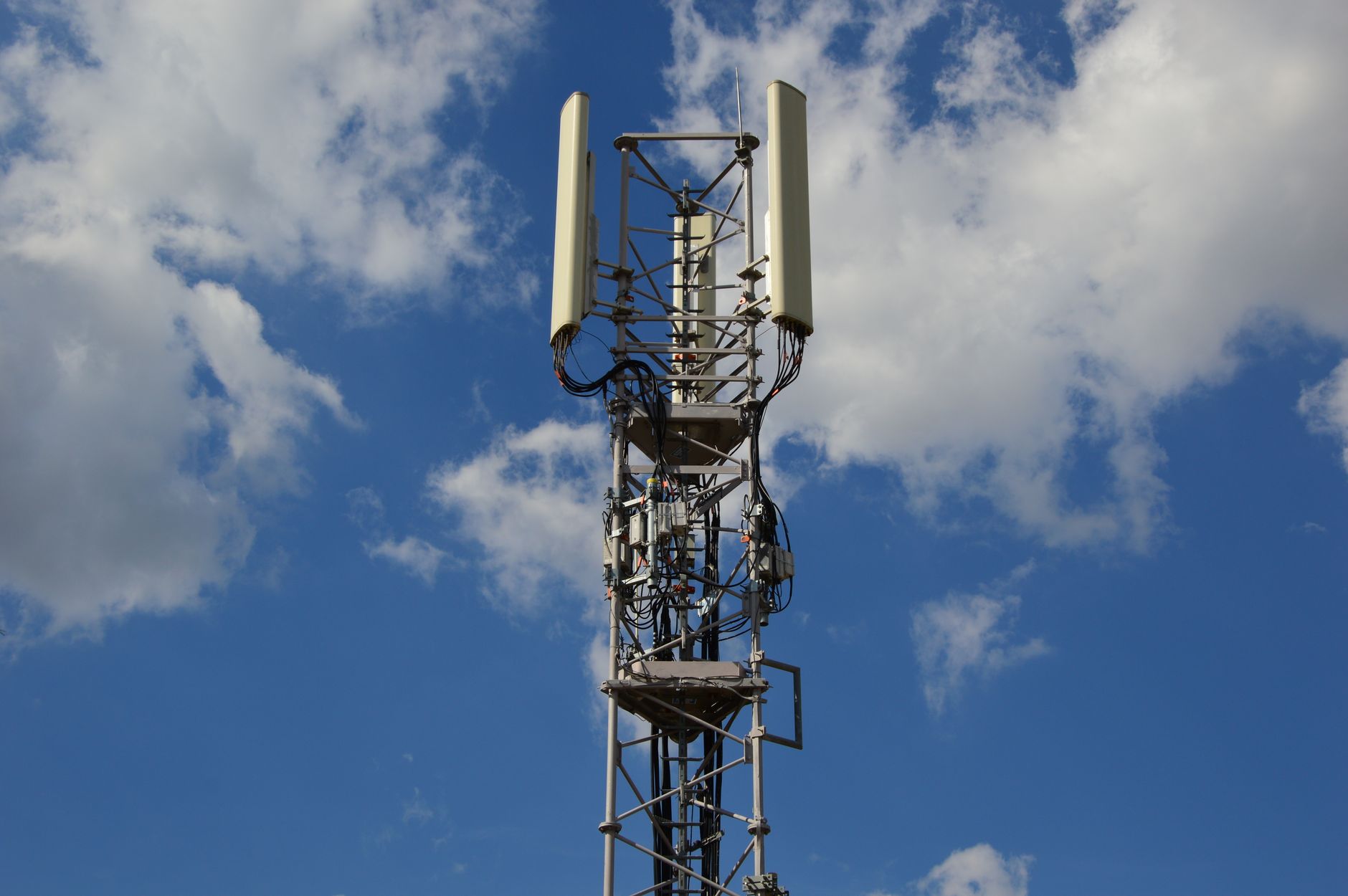
5G UW, or 5G Ultra Wideband, represents a significant advancement in mobile connectivity, aiming to bring faster data speeds and lower latency. It is important to understand what 5G UW entails, how it works with compatible devices, and its everyday applications. This guide will equip you with the knowledge needed to navigate this latest technology effectively.
As 5G networks continue to expand, distinguishing between its various forms becomes essential. Among them, 5G UW has garnered attention for its unique features. This article explores the characteristics of 5G UW, its setup on mobile devices, and how users can experience its benefits in day-to-day life.
What Is 5G UW?
5G UW stands for 5G Ultra Wideband, a service offered primarily by Verizon that utilizes high-frequency spectrum to deliver enhanced wireless connectivity. This service is designed to provide consumers with faster internet speeds, significantly improved data handling, and lower latency than previous mobile technologies like 4G LTE. 5G UW leverages the millimeter-wave frequency, allowing for rapid data transmission over short distances, making it suitable for urban environments where congestion can slow down internet speeds.
The technology behind 5G UW aims to accommodate a greater number of users and devices simultaneously, reducing the bottlenecks frequently experienced in crowded areas. Overall, it is designed to support a wide array of applications and services, from streaming high-definition content to enabling advanced smart city technologies.
Key Features of 5G UW
Understanding the features of 5G UW is essential for users looking to get the most out of their mobile connectivity. Here are some of the standout features:
- Ultra-Fast Speeds: 5G UW can achieve download speeds exceeding 1 Gbps under optimal conditions, which is significantly faster than traditional LTE networks.
- Low Latency: Latency, or the delay before data transfer begins, is markedly reduced with 5G UW, making it suitable for real-time applications such as gaming and video conferencing.
- High Capacity: The technology can support a larger number of connected devices at once, essential for urban areas and crowded venues.
- Enhanced Reliability: Improved signal strength and reliability in dense environments lead to fewer dropped connections.
Devices Compatible with 5G UW
To experience 5G UW, a compatible device is necessary. Not all smartphones or devices support this advanced network technology. The following are commonly compatible devices:
- Latest smartphones from brands like Apple, Samsung, and Google, equipped with 5G modem chipsets capable of utilizing UW frequencies.
- 5G home routers that support 5G UW for home internet access.
- Other IoT (Internet of Things) devices designed to function effectively on 5G UW networks.
Before purchasing a new device, verify its specifications to ensure it supports 5G UW. This will allow you to take full advantage of the high speeds and low latency offered by the network.
How to Enable 5G UW on Your Smartphone
Enabling 5G UW on your smartphone is generally a straightforward process. However, the process may vary slightly depending on the device’s make and model. Here are the general steps to follow:
- Check Compatibility: Ensure that your device supports 5G UW by checking the manufacturer’s specifications.
- Update Device Software: Ensure that your device’s operating system is up to date for optimal performance. Go to your settings, check for software updates, and install any available updates.
- Enable 5G:
- Go to settings.
- Select “Network & Internet” or “Connections.”
- Tap “Mobile Network” then “Network Mode.”
- Select the option that includes 5G, often titled “5G/4G/3G/2G Auto” or a similar variant.
- Restart Your Device: Restarting your device can help apply any changes you made.
- Check Your Signal: Once back online, check your status bar for the “5G UW” indicator to confirm that you are connected to the Ultra Wideband network.
Using the 5G UW network should be seamless once connected. Keep in mind that coverage is still expanding, so in some areas, you may automatically fall back to 4G LTE if 5G UW is unavailable.
Everyday Uses of 5G UW
5G UW is not just about speed; it truly can transform everyday mobile experiences. Here are some practical applications:
Streaming and Downloading
For users who enjoy streaming videos or music, 5G UW offers the ability to download large files and stream high-definition content without buffering. This is particularly beneficial for binge-watching shows or attending virtual events.
Gaming
With significantly reduced latency, mobile gaming becomes more responsive. Gamers can enjoy real-time multiplayer experiences without lag, making competitive gaming more accessible and enjoyable.
Smart City Technologies
5G UW can support smart city implementations like connected traffic lights and IoT devices, leading to more efficient urban ecosystems. This technology can help monitor traffic flow and manage resources more effectively.
Augmented Reality (AR) and Virtual Reality (VR)
5G UW’s high speed and low latency are game-changing for AR and VR applications. Users can experience real-time interaction in virtual environments, enhancing both entertainment and educational applications.
Telehealth
For telehealth services, 5G UW can provide high-quality video consultations, remote monitoring, and rapid data sharing between healthcare providers and patients. This can significantly improve patient care.
Advantages and Limitations of 5G UW
As with any technology, there are both advantages and limitations to consider when using 5G UW.
Advantages
- Increased speeds make daily tasks smoother and faster.
- Reduced latency enhances user experience, particularly in real-time applications.
- Greater capacity supports more connected devices, beneficial in public spaces.
Limitations
- Coverage limitations mean it may not be available everywhere, especially in rural areas.
- Physical obstructions such as buildings can impact signal strength, resulting in inconsistent connectivity.
- Equipment such as routers and smartphones need to be specifically designed to handle this technology.
Troubleshooting Common Issues with 5G UW
Users may encounter some common issues while utilizing a 5G UW connection. Here are some troubleshooting steps:
No 5G Signal
If you do not see the 5G UW indicator on your device, try the following:
- Ensure you are in an area with 5G coverage.
- Confirm your device settings are properly configured to enable 5G.
- Restart your device.
Slow Speeds
If your speeds are not what you expected, consider these factors:
- Check for network congestion; speeds can be affected during peak usage times.
- Physical objects or distance from a cell tower may affect your signal.
- Reset network settings to clear any potential misconfigurations.
Disconnected Calls or Poor Quality
When calls drop or sound quality declines:
- Move to an open area if you are indoors, as walls can interfere with reception.
- Check if your device needs a software update, as updates often include fixes for call quality.
The Future of 5G UW
As 5G UW continues to deploy globally, expect even broader applications and improvements in mobile technology. It holds the potential to revolutionize industries, from healthcare to entertainment. With its implementation, IoT will only further expand, fostering environments where connectivity is seamless and fast.
The adoption of 5G UW signifies a shift towards more interconnected societies. As applications evolve, users can anticipate a future rich in innovative solutions powered by cutting-edge connectivity.
In summary, understanding and utilizing 5G UW can significantly enhance mobile experiences, enabling faster speeds and new capabilities. Users equipped with compatible devices in areas with coverage can take full advantage of this technology.
For those looking to delve deeper into the nuances of next-gen connectivity, explore related topics on 5G networking. Learn about what 5G UC means, its distinctions compared to UW, and best practices when transitioning to 5G networks. Consider reading more about 5G UW and 5G UC for a comprehensive understanding.