
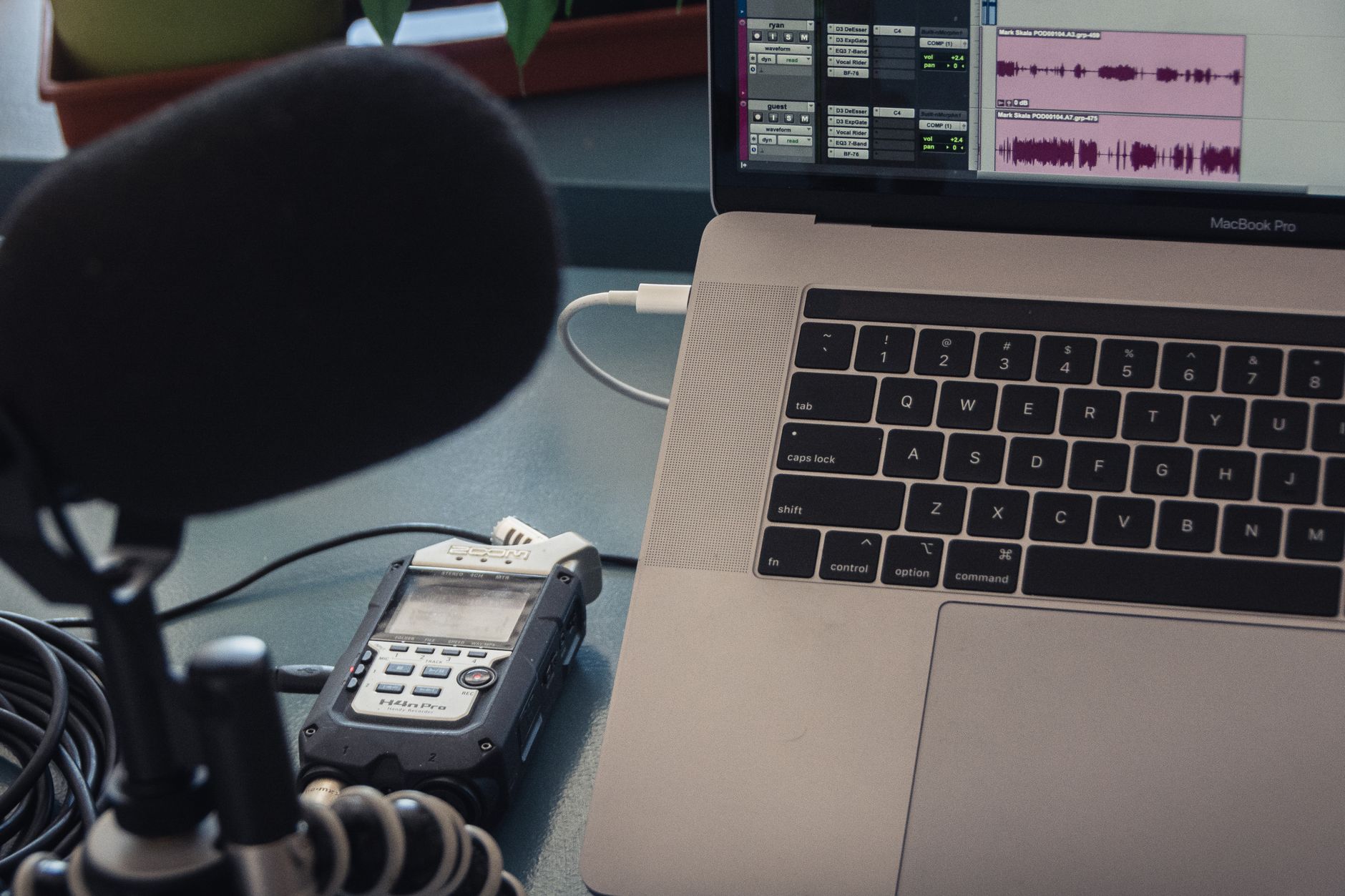
Starting a podcast can be an enriching project, enabling you to share your thoughts and insights with a global audience. With the right equipment, software, and hosting solutions, you can create a high-quality podcast that resonates with listeners. This guide will walk you through the essential steps to get your podcast off the ground.
Whether you aim to entertain, educate, or inform, a thoughtfully planned podcast can help you build a loyal following. From selecting the ideal microphone to mastering editing software, this article covers everything you need to know about launching your podcast successfully.
How to Start a Podcast?
To start a podcast, you need to choose a topic, gather the right equipment, select recording and editing software, and find a hosting platform to distribute your episodes. Following these structured steps will guide you through the process systematically.
Step 1: Define Your Podcast’s Concept
Your podcast’s concept or theme is critical to attract and retain listeners. Consider the following points:
- Target Audience: Identify who you want to reach. Understanding your target audience will help shape your content and style.
- Podcast Genre: Decide on a specific genre (e.g., true crime, technology, comedy, interviews) that aligns with your interests and expertise.
- Format: Choose a format. Will it be a solo podcast, a dialogue, interviews, or a combination? This affects how you produce each episode.
- Episode Length: Determine how long each episode will be. Knowing this will assist in planning your content and editing it later.
Step 2: Gather the Right Equipment
High-quality audio is crucial for a successful podcast. Below is a list of essential equipment:
Microphone
A good microphone is one of the most important investments you’ll make. Here are a few popular options:
- Dynamic Microphone: The Shure SM58 is a trusted choice for its durability and sound quality, especially in untreated spaces.
- Condenser Microphone: The Audio-Technica AT2020 offers excellent audio quality in controlled environments.
- USB Microphone: The Blue Yeti is known for its versatility and ease of use, making it great for beginners.
Headphones
A good pair of closed-back headphones will help you monitor your sound quality. Consider options like the Audio-Technica ATH-M50x or Sony MDR-7506 for clear audio.
Audio Interface
If you opt for an XLR microphone, an audio interface such as the Focusrite Scarlett 2i2 is necessary to connect to your computer.
Recording Device
In addition to your computer, you may want a portable recorder like the Zoom H5 for field recordings or interviews.
Pop Filter
A pop filter reduces plosive sounds from your speech, enhancing audio quality. They are inexpensive and can improve the listening experience significantly.
Step 3: Select Recording and Editing Software
Once you have your equipment ready, you will need to select software for recording and editing.
Recording Software
Popular recording software includes:
- Audacity: A free and open-source tool that is user-friendly and great for beginners.
- GarageBand: Available for macOS, it is a versatile audio production software that comes free with Apple devices.
- Adobe Audition: A professional-grade software suited for those willing to invest for more advanced editing capabilities.
Editing Your Podcast
When editing your podcast, consider using tools like:
- Levels and Compression: Incorporate audio levels and compression in your editing software to ensure consistent sound quality.
- Sound Effects and Music: Make your podcast more engaging with sound effects and music, ensuring you have the appropriate licenses to use those elements.
Step 4: Create Your Podcast Episodes
With your concept, equipment, and software organized, you can begin creating your episodes.
Scripts and Outlines
Having a script or outline helps keep your episode focused. Decide if you want to rehearse or speak more freely based on your comfort level.
Recording Tips
- Choose a quiet location to minimize background noise.
- Maintain a consistent distance from your microphone to ensure even sound levels.
- Record a short audio test for evaluating sound quality before starting a full recording.
Editing Your Episodes
After recording, load your audio file into your editing software. Edit out mistakes and unwanted silences, and consider adding intros and outros to establish a professional sound.
Step 5: Choose a Podcast Hosting Platform
Your podcast must be hosted on a platform for distribution. Here are some popular hosting options to consider:
Popular Podcast Hosting Services
- Libsyn: Offers reliable hosting and extensive analytics to track your audience.
- Podbean: Provides unlimited hosting plans and an easy-to-use interface.
- Anchor: A free podcast hosting service that also enables you to monetize your podcast through ads.
RSS Feed
Your podcast provider will typically generate an RSS feed for you. Distributing this feed to platforms like Apple Podcasts, Spotify, and Google Podcasts ensures listeners can find and subscribe to your podcast.
Step 6: Design Cover Art and Write Show Notes
Attractive cover art is crucial for attracting listeners. Your cover art should be:
- Clear and legible, even at small sizes.
- Aligned with the theme of your podcast.
- Unique enough to stand out from competitors.
Show Notes
Show notes help provide context to your episodes. Include links, resource lists, and a brief summary to help listeners engage deeper with the content.
Step 7: Launch Your Podcast
After completing your first few episodes, it’s time to launch your podcast:
Pre-launch Strategies
- Build anticipation by sharing teasers on social media.
- Reach out to potential guests and collaborators to create buzz.
- Consider launching with multiple episodes available to hook new listeners.
Publishing Your First Episode
Once your podcast is hosted, it will become available on various platforms shortly after publication. Promote your launch through various channels to maximize your reach.
Step 8: Promote Your Podcast
Promotion is an ongoing task but essential for growing your audience. Utilize the following strategies:
Social Media Marketing
Share episodes, behind-the-scenes content, and engage with listeners on social media platforms. Create dedicated pages for your podcast to foster a community.
Cross-Promotion
Work with other podcasters for guest appearances. Appear on their shows and invite them onto yours to tap into each other’s audiences.
Website and Blog
Consider creating a simple website to host your podcast and provide a platform for additional content. This can enhance your presence and improve SEO.
Step 9: Monetize Your Podcast
Once your audience grows, thinking about monetization becomes crucial. A few common methods include:
Sponsorships
Partner with businesses for sponsored segments or ads targeted towards your audience. Make sure the products or services align with your content.
Membership Models
Create a Patreon or similar account where listeners can support you financially in exchange for exclusive content.
Merchandise Sales
Consider selling branded merchandise or related products that resonate with your audience.
Step 10: Monitor and Evolve
Once your podcast is launched, continually analyze listener feedback and adapt your content:
Listener Feedback
- Encourage reviews and ratings to understand audience preferences.
- Engage with listeners on social media to gain insights into what they enjoy or want to hear more about.
Analytics
Use the analytics provided by your hosting service to track downloads, listener demographics, and engagement metrics. This information can guide future content decisions.
Common Podcasting Challenges and Solutions
As with any creative project, you may face challenges when starting a podcast. Here are some common issues and how to address them:
Technical Issues
Sound quality problems can detract from your content. Regularly check equipment functionality and consider investing in soundproofing elements if recording in noisy environments.
Content Consistency
Maintaining a content schedule can be tough. Create a content calendar to plan future episodes in advance, ensuring you have a consistent flow of material.
Time Management
Balancing podcasting with other responsibilities is challenging. Set specific times in your schedule for recording and editing, treating it as a priority.
Staying Motivated
Building an audience takes time. Stay passionate about your content, and don’t lose heart if growth is slow initially.
Final Considerations
Starting a podcast can seem overwhelming, but breaking it down into manageable steps makes the process feel attainable. By following these guidelines, you’ll be well on your way to creating a podcast that connects and captivates your audience.
Whether you’re aiming to share expert knowledge or simply entertain, the right planning and tools will set you on a path toward success. Dive into the podcasting world confidently, ready to grow and evolve with your audience.
For additional guidance, you can read our article on creating a podcast or learn how to enhance your recording skills with our guide on using OBS Studio.