
Creating a podcast can be a rewarding process, whether you’re looking to share your expertise, entertain, or connect with like-minded individuals. Understanding the equipment, software, and hosting options available will guide you in producing quality audio content. In this comprehensive guide, we will break down each component necessary for launching your podcast.
This article will cover the essential steps needed to create a podcast, including selecting the right hardware, choosing suitable software for recording and editing, and determining the best hosting platform. Let’s dive in.
How to Create a Podcast?
To create a podcast, you’ll need to select the appropriate recording equipment, choose reliable software for editing, and find a hosting platform to distribute your episodes. A solid plan will ensure your podcast resonates with your audience, delivering quality content consistently.
1. Planning Your Podcast
The foundation of a successful podcast starts with planning. Here are key elements to consider:
- Podcast Concept: Determine the niche and topic of your podcast. This should resonate with your interests as well as your target audience.
- Target Audience: Identify who your audience is and what content they would find valuable.
- Format: Decide on the format, whether it’s interviews, solo commentary, or roundtable discussions. This helps set the tone for your episodes.
- Episode Structure: Outline how long each episode will be, whether it will include segments, and how you might engage listeners with Q&A or interaction.
2. Equipment for Podcasting
Choosing the right equipment can significantly impact the quality of your podcast. Here’s what you’ll need:
2.1 Microphones
Your microphone is the most critical piece of equipment. Here are two popular types:
- Dynamic Microphones: Great for recording in environments with background noise. Examples include the Shure SM7B and the Audio-Technica ATR2100.
- Condenser Microphones: Excellent for capturing vocals with clarity, typically used in studio settings. Examples include the Rode NT1 and the Audio-Technica AT2020.
2.2 Audio Interfaces
If you choose an XLR microphone, you’ll need an audio interface to connect to your computer. Some popular options include:
- Focusrite Scarlett 2i2: Known for its high-quality preamps and ease of use.
- Behringer UMC22: A budget-friendly option that still delivers quality sound.
2.3 Headphones
Investing in a good pair of closed-back headphones is crucial for monitoring sound without feedback. Options include:
- Audio-Technica ATH-M50x: Highly rated for sound quality and comfort.
- Sony MDR-7506: A favorite among professionals for its accurate sound reproduction.
2.4 Recording Device
You can record your podcast directly to your computer, but a portable recording device allows flexibility. Consider:
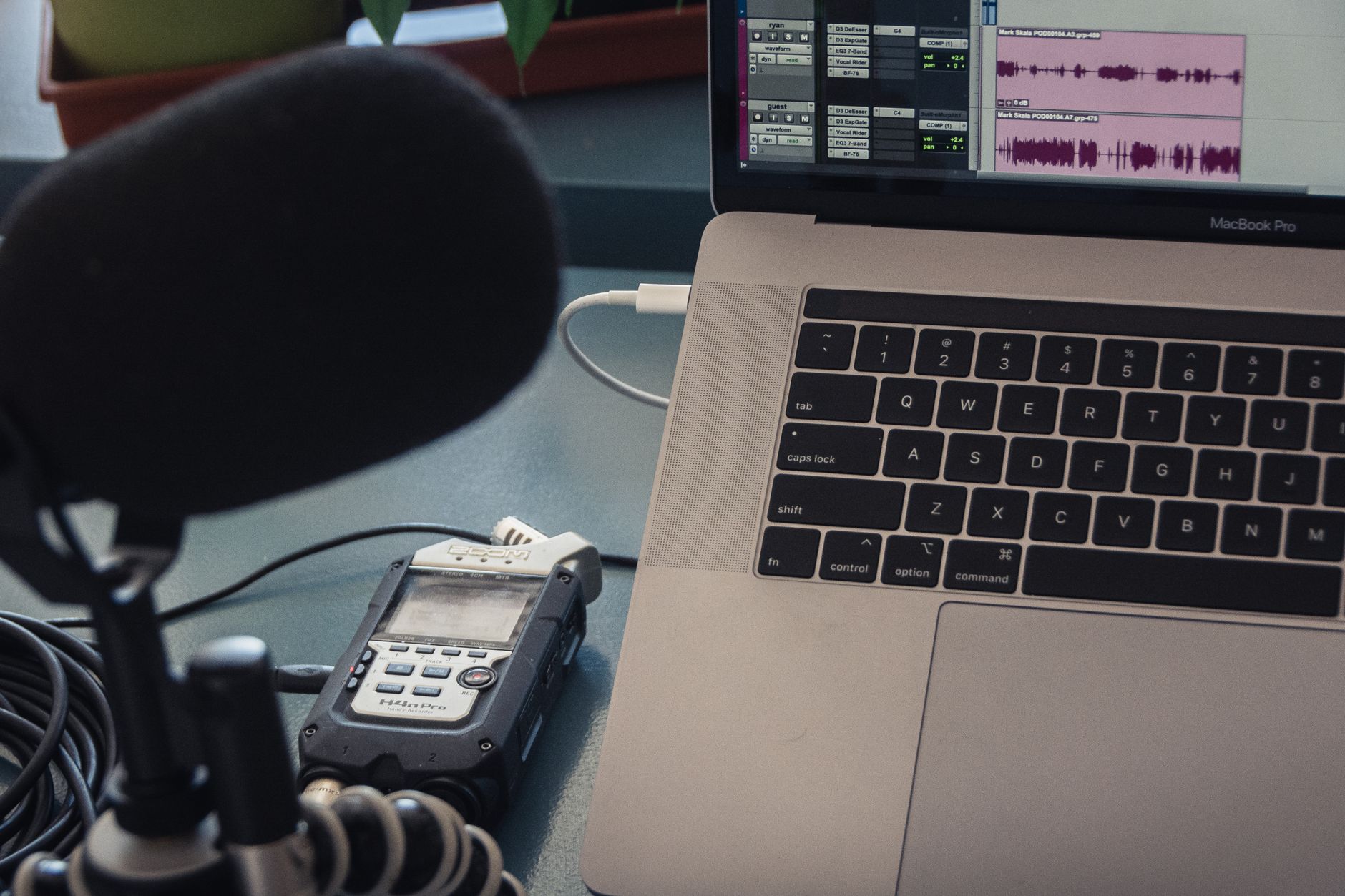
- Zoom H4n Pro: A popular handheld recorder that provides high-quality audio on the go.
- Tascam DR-40X: Another great portable option that allows simultaneous audio input for interviews.
3. Software for Recording and Editing
Once you have your equipment set up, the next step is selecting the right software to record and edit your audio.
3.1 Recording Software
For recording your podcast, these software options are widely used:
- Audacity: A free, open-source software that’s great for beginners.
- GarageBand: Included on Mac devices, user-friendly for simple recording tasks.
- Adobe Audition: A premium option with advanced features for more professional editing.
3.2 Editing Software
Editing is crucial to ensure your podcast flows well. Many recording software also includes editing capabilities, but you might opt for dedicated software such as:
- Reaper: Affordable with a comprehensive set of features.
- Pro Tools: Industry standard for those wanting advanced features and capabilities.
4. Hosting Your Podcast
After recording and editing your episodes, you’ll need a hosting platform. This will store your audio files and distribute them to podcast directories such as Apple Podcasts and Spotify.
4.1 Choosing a Podcast Hosting Service
Here are some popular podcast hosting services:
- Libsyn: One of the oldest providers with reliable service and distribution options.
- Anchor: A free hosting service that allows easy podcast creation and sharing without upfront costs.
- Buzzsprout: User-friendly interface and great analytics to track performance.
4.2 Setting Up Your Podcast on a Hosting Service
- Create an Account: Sign up for the chosen service and follow their onboarding process.
- Upload Your First Episode: Follow the outlined instructions to upload your audio file.
- Add Podcast Details: Set your podcast title, description, cover art, and other metadata.
- Distribute Your Podcast: Use the hosting service’s tools to submit your podcast to major directories.
5. Promoting Your Podcast
Once your podcast is live, you’ll want to promote it. Effective promotion strategies include:
- Social Media: Share episodes on platforms like Facebook, Twitter, and Instagram to reach a broader audience.
- Website/Blog: Create a dedicated website for your podcast to host episode notes and build a community.
- Networking: Connect with other podcasters for guest appearances and cross-promotional opportunities.
6. Analyzing Your Podcast Performance
After you’ve launched and promoted your podcast, analyzing how it performs is crucial for future success. Consider using:
- Analytics Tools: Many hosting services provide built-in analytics, showing listener statistics and engagement.
- Surveys: Solicit feedback from listeners about what they like and what could be improved.
7. Troubleshooting Common Issues
Some common problems you may encounter while creating your podcast include:
7.1 Poor Audio Quality
If your audio quality is low, check the following:
- Correct microphone setup and settings.
- Elimination of background noise during recording.
- Using audio editing software to enhance sound quality post-recording.
7.2 Recording Errors
Recording errors can result in lost content. To combat this:
- Always perform a test recording before the actual session.
- Set backup recording methods, such as using your phone or a secondary device.
7.3 Slow or Inactive Audience Growth
If your listener count plateaus, consider these approaches:
- Evaluate content quality and listener engagement.
- Experiment with episode length, themes, or guest appearances.
- Increase promotional efforts or seek collaborations with other creators.
8. Legal Considerations
As you create your podcast, be mindful of legal considerations, such as copyright and licensing issues:
- Music Licensing: Make sure to use royalty-free music or obtain proper licenses for any music used in your podcast.
- Intellectual Property: Avoid using others’ content without permission to prevent copyright infringement.
9. Keeping Your Podcast Fresh
To keep your audience engaged over time, consider the following tips:
- Regularly introduce new topics or themes.
- Engage with your audience through Q&A segments.
- Stay updated on trends within your niche to ensure relevancy.
Following these steps will put you on the path to creating a successful podcast. Remember that persistence and continual improvement are key factors in building a loyal listener base.
Now that you have a comprehensive understanding of how to create a podcast, consider exploring additional resources that can further enhance your tech skills. Explore how to use Zoom effectively for remote interviews or learn how to record your screen for visual content creation. Your podcasting journey starts with the right knowledge—make the most of it!