
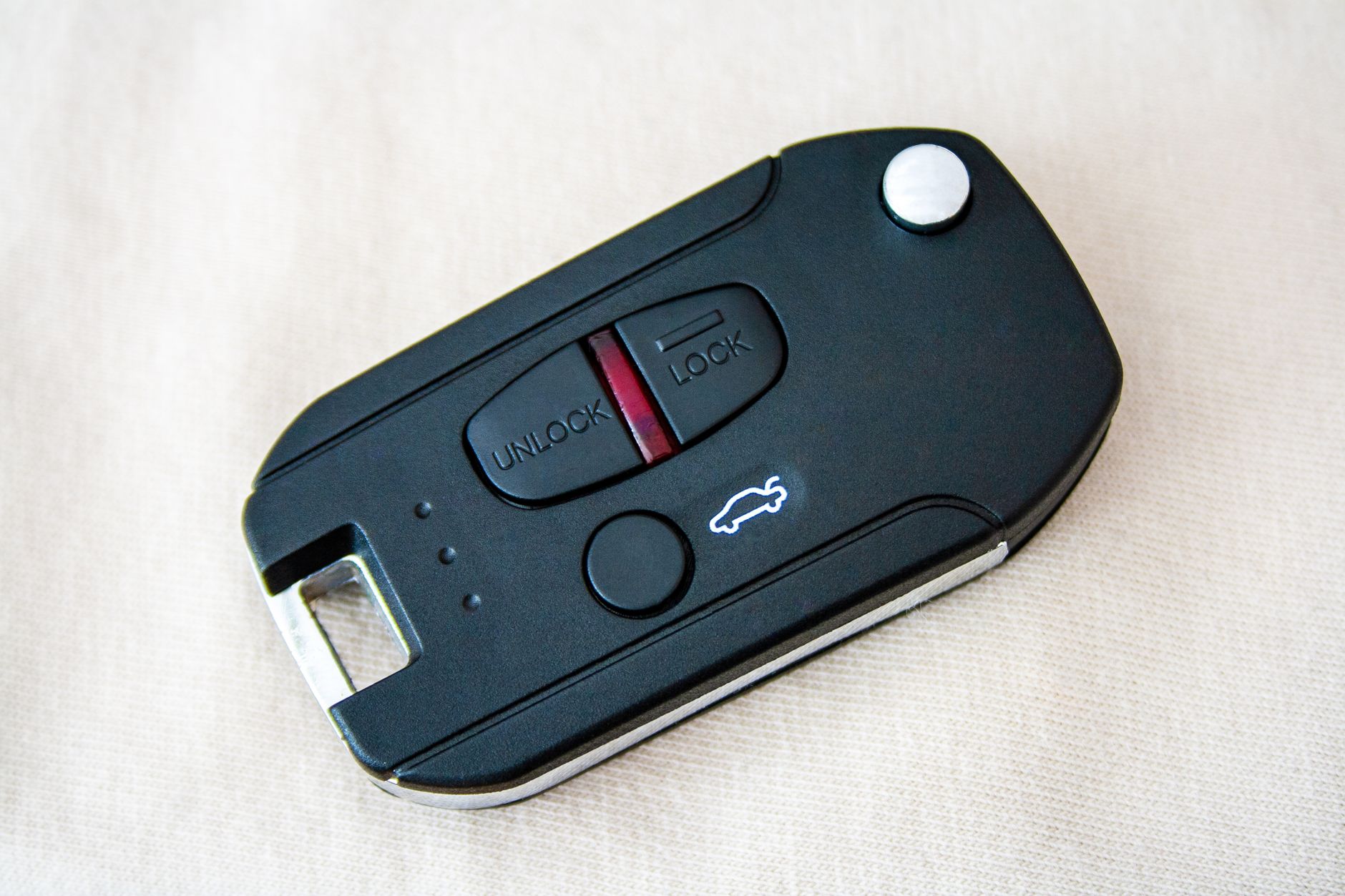
Key fobs have become increasingly ubiquitous in our lives, yet many people still wonder: what exactly is a key fob? This article delves into the details of key fobs, exploring their function in wireless access, the buttons they often feature, and the security aspects involved in their usage. Whether you encounter them in vehicles, homes, or workplace environments, understanding key fobs can enhance your tech knowledge and security awareness.
A key fob is a small, handheld device that allows for keyless entry to various systems, ranging from cars to secure buildings. Typically equipped with buttons that perform specific functions, these devices utilize wireless communication technologies, primarily radio frequency identification (RFID) or infrared signals. They serve as a convenient and efficient way to manage access control, eliminating the need for traditional metal keys.
What are the Types of Key Fobs?
Key fobs come in various types, each designed for specific applications and contexts. Below are the most common types found in the market today:
- Remote Key Fobs: Commonly used in vehicles, these fobs allow drivers to unlock doors, open the trunk, or start the engine remotely. They operate on a specific frequency that communicates with the vehicle’s onboard computer.
- Proximity Key Fobs: Also known as smart key fobs, these devices allow users to access their vehicle or property without needing to press buttons. As long as the fob is within a certain range, the system automatically unlocks the doors.
- Access Control Key Fobs: Used primarily in buildings and offices, these fobs are equipped with RFID technology. Users can scan the fob against a reader to gain entry to secure areas.
- Smart Home Key Fobs: These are used to control various elements within a smart home, such as garage doors or security systems. They may integrate with smart home ecosystems for enhanced functionality.
How Does a Key Fob Work?
Understanding the workings of a key fob involves looking at the technology behind it. Key fobs typically utilize two primary systems: RFID and infrared.
Radio Frequency Identification (RFID)
RFID technology employs electromagnetic fields to automatically identify and track tags attached to objects. A key fob equipped with an RFID chip interacts with a reader device, sending a unique code that signals authorization to access a particular area or perform an action. This exchange occurs in seamless seconds, making RFID key fobs both quick and efficient.
Infrared Technology
Infrared key fobs operate differently, relying on light signals to transmit information. In these systems, the fob must be aimed at a sensor, similar to how a remote control works with a television. Infrared key fobs are less common in access control systems but are found in some remote devices.
What Are Key Fob Buttons Used For?
Most key fobs contain buttons that facilitate various functions, enhancing user experience and providing specific commands. Here’s a look at common buttons found on key fobs:
- Lock/Unlock: This standard button allows users to quickly secure or unlock their vehicle or a door without a physical key.
- Trunk Release: Found in automotive key fobs, this button opens the trunk remotely, providing convenience when hands are full.
- Panic Alarm: Activating this button triggers a loud alarm to deter potential threats or assist in locating a vehicle in a crowded parking lot.
- Engine Start: This button allows for remote vehicle starting, letting users warm up their cars during winter or cool down during heat waves.
Security Features of Key Fobs
Security is one of the primary advantages of using key fobs compared to traditional keys. Here are significant security features associated with key fobs:
Encryption
Many key fobs use encryption to protect the communication between the fob and the receiving unit. This makes it difficult for unauthorized individuals to intercept the signals and gain access without the legitimate key fob.
Rolling Codes
Rolling code technology ensures that a different code is transmitted each time the key fob is used. This significantly reduces the risk of replay attacks, where an attacker captures the signal and replays it to gain unauthorized access.
Two-Factor Authentication
Some advanced systems require two forms of verification for access. This means that the key fob may work in conjunction with a PIN code or biometric authentication to enhance security further.
Potential Vulnerabilities
While key fobs offer enhanced security, they are not entirely immune to vulnerabilities. Some common risks include:
- Signal Interception: If an attacker uses sophisticated tools, they can capture the signal emitted by a key fob and attempt to replay it to unlock doors.
- Physical Theft: If a key fob is physically taken, there is a risk of unauthorized access unless strong additional security measures, such as PINs or biometric locks, are in place.
- Malware Attacks: Computer systems that manage fob access can be targets for malware, which could compromise security protocols and expose vulnerabilities.
How to Program a Key Fob
Programming a key fob can vary significantly depending on the usage and type of device. Here is a general step-by-step guide on how to program a typical key fob for vehicles:
- Get inside the vehicle and close all doors.
- Insert the ignition key and turn it to the “On” position without starting the engine.
- Press the “lock” button on the key fob once. Before doing this, you might need to press the “unlock” button first, depending on the manufacturer.
- Turn the key back to the “Off” position.
- Repeat steps 2-4 for each key fob you wish to program.
- Once completed, turn the ignition key to the “On” position again to finalize the programming and exit programming mode.
Please note that each vehicle may have a specific programming procedure, which should be consulted in the owner’s manual. Ensure that you have all fobs available during the programming process.
Troubleshooting Common Key Fob Issues
Key fobs, like any electronic devices, can encounter issues. Below are some common problems and their potential solutions:
Key Fob Not Responding
If your key fob fails to respond, consider the following steps:
- Replace the Battery: A common cause of key fob failure is a depleted battery. Check the fob battery and replace it if necessary.
- Reprogram the Fob: Sometimes, reprogramming the fob can resolve connectivity issues.
- Inspect for Damage: Check for physical damage to the fob such as broken buttons or cracks.
Inconsistent Functionality
If the key fob works inconsistently, you may want to:
- Check Range: Ensure that you are within an optimal range for the key fob’s signal. Walls and other barriers can impede signal strength.
- Examine for Interference: Other electronic devices might interfere with the key fob’s signal transmission.
Battery Life Expectations
The battery life of a key fob typically lasts from 1 to 3 years, depending on the model and frequency of use. Users should watch for signs of battery drain, such as decreased range or need for multiple presses.
Key Fob Replacement Options
When a key fob is lost or damaged beyond repair, options for replacement may include:
- Dealer Replacement: Typically, the most reliable but often expensive option. Dealers can provide genuine replacements that will function seamlessly with your vehicle.
- Aftermarket Key Fobs: These can be more affordable but may not offer the same features or reliability as original equipment manufacturer (OEM) key fobs.
- DIY Programming: Some companies sell key fob kits that users can program based on the instructions provided. While cost-effective, this can be hit or miss.
Best Practices for Key Fob Usage
To maximize the benefits of your key fob and ensure its longevity, consider the following best practices:
- Keep Away from High Temperatures: Heat can damage the circuit inside the fob, affecting performance. Avoid leaving your fob inside a hot vehicle.
- Limit Exposure to Water: Water damage can be fatal for electronics. If your fob gets wet, dry it immediately.
- Use a Key Fob Case: Consider investing in a protective case to shield your key fob from drops, impacts, and dust accumulation.
Future Trends in Key Fob Technology
The landscape of key fob technology is continually evolving. Some trends to watch for include:
Integration with Smartphones
Many modern key fobs offer integration with smartphone applications. This can provide users with enhanced control and additional features, such as vehicle location tracking.
Biometric Authentication
As security needs grow, some manufacturers are exploring the incorporation of biometric systems such as fingerprint scanners into key fobs. This dual-factor authentication would significantly enhance security measures.
Enhanced IoT Compatibility
With the rise of Internet of Things (IoT) devices, we may see key fobs that can communicate with various connected devices in a smart home environment, further streamlining user experiences.
Knowing what a key fob is and how it operates is essential for modern security management, whether it’s for cars, homes, or offices. By being aware of their function, security features, programming, and potential issues, users can make informed decisions regarding their usage and maintenance.
With an increasing reliance on keyless technologies, continuing to explore innovations and trends in this area remains crucial for enhancing security and convenience in our daily lives. For those interested in further enhancing your tech knowledge, consider checking out articles on network security keys and smart plugs to continue your learning journey.