
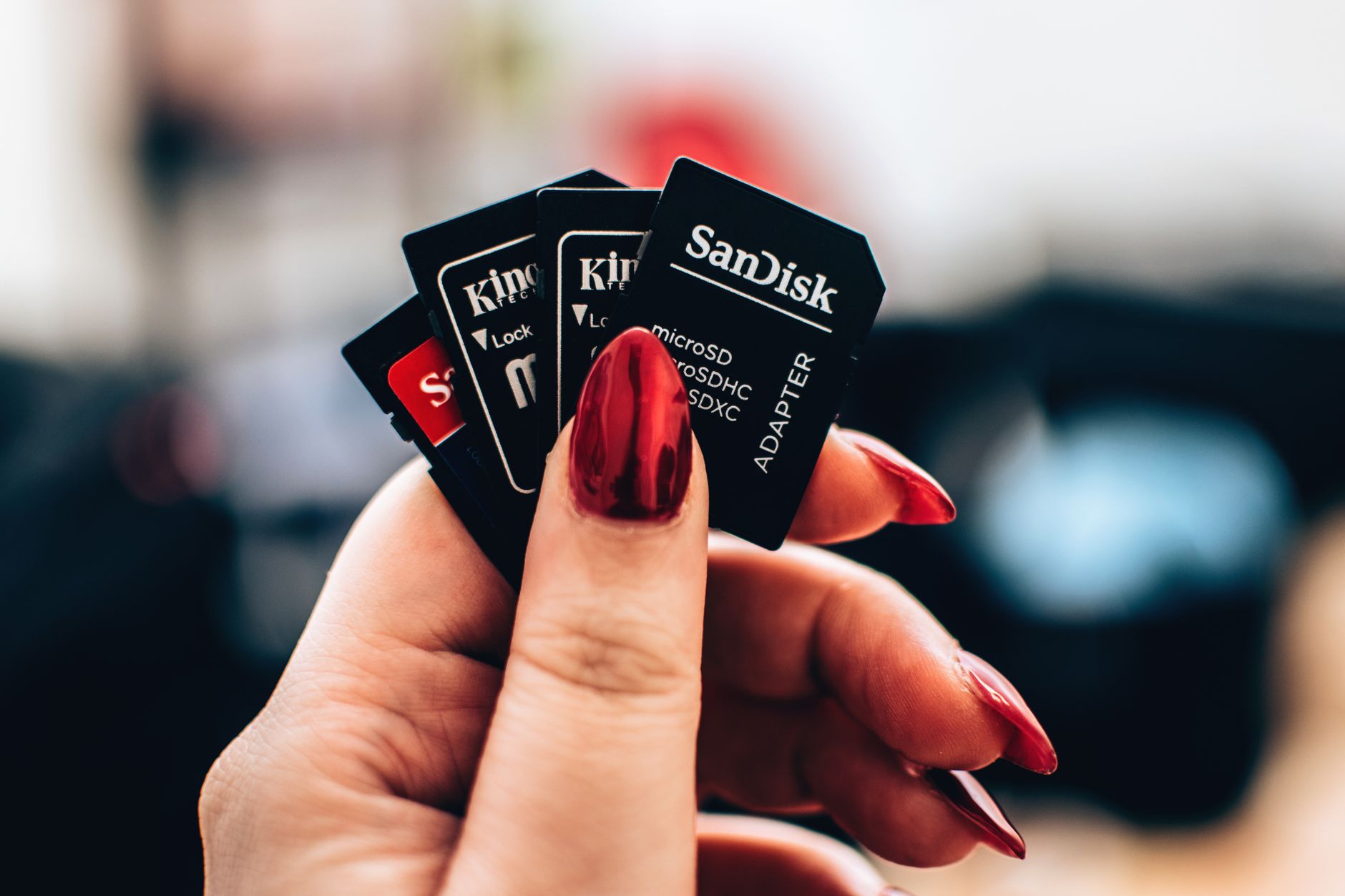
A TF card, or TransFlash card, is a small flash memory card used to store data in various portable devices. Initially developed by SanDisk in 2004, TF cards are often referred to as microSD cards in modern contexts, as the latter became the preferred name after the format was adopted by the SD Association.
Understanding what a TF card is, its storage capabilities, and the devices that support it can help you make informed choices about data storage solutions in today’s digital landscape. This article aims to explore these aspects in detail, guiding you through everything related to TF cards.
What Is a TF Card?
A TF card, or TransFlash card, is the world’s smallest removable flash memory card that is widely used in consumer electronics. Designed to offer convenient storage options, it is commonly found in devices such as smartphones, tablets, and cameras. TF cards support various storage needs, which can range from a few megabytes to several terabytes, depending on the card’s specifications.
History and Evolution of TF Cards
TF cards were first created in 2004 by SanDisk and served primarily as a higher-capacity alternative to existing memory cards at the time. In 2005, the format was standardized as a microSD card, which is the term most people are familiar with today. The transition to microSD, performed by the SD Association, allowed greater compatibility across a wider array of devices, leading to increased usage.
TF Card vs. microSD Card
While TF cards and microSD cards are often used interchangeably, they are technically the same card format. The name ‘microSD’ is a branding term following the formalization by the SD Association. Here are some comparative points:
- Physical Size: Both TF and microSD cards measure 15mm x 11mm x 1mm.
- Storage Capacity: Both types support a wide range of storage capacities, typically from 2GB to 1TB or more.
- Compatibility: Nearly all modern devices that support microSD cards can also utilize TF cards due to their format similarities.
Storage Capacities of TF Cards
TF cards are available in various capacities, making them suitable for many applications. They are classified into different types based on their storage size:
- Standard Capacity (SDSC): Up to 2GB.
- High Capacity (SDHC): 2GB to 32GB.
- Extended Capacity (SDXC): 32GB to 2TB.
- Ultra Capacity (SDUC): 2TB to 128TB.
Speed Classes
Aside from storage capacity, TF cards are also categorized into speed classes that determine the minimum write speeds:
- Class 2: Minimum write speed of 2 MB/s.
- Class 4: Minimum write speed of 4 MB/s.
- Class 6: Minimum write speed of 6 MB/s.
- Class 10: Minimum write speed of 10 MB/s.
- UHS-I: Higher performance with speeds up to 104 MB/s.
- UHS-II: Enhanced performance with speeds up to 312 MB/s.
- UHS-III: Maximum speeds of 624 MB/s.
Device Support for TF Cards
TF cards are versatile and compatible with a range of devices, which include:
- Smartphones and Tablets: Most modern smartphones and tablets support microSD/TF cards for expandable storage.
- Cameras: Digital cameras, action cams, and drones often utilize TF cards for storing photos and videos.
- Game Consoles: Devices like the Nintendo Switch support microSD for game data storage.
- Laptops and PCs: Some laptops and computers feature microSD slots for external storage expansion.
- Media Players: Portable media players may have a slot for TF cards to increase available storage.
How to Choose the Right TF Card
Selecting the best TF card for your needs requires consideration of several factors:
- Device Compatibility: Ensure the card is compatible with your device in terms of size and capacity.
- Storage Needs: Assess how much storage you require based on the files, apps, or media you’ll store.
- Speed Requirements: Choose a card with an appropriate speed class based on your intended usage—higher speeds benefit video recording and large file transfers.
- Brand Reputation: Opt for reputable brands to ensure reliability and data integrity.
How to Use a TF Card
Using a TF card is straightforward. Here are the basic steps to utilize a TF card with compatible devices:
- Insert the TF Card: Locate the TF card slot on your device and gently insert the card until it clicks into place.
- Format the Card: If prompted, format the card using your device’s settings to prepare it for use. Note that formatting erases all data on the card.
- Transfer Files: Use file management apps or computer software to transfer files to and from the card as needed.
- Safely Eject: Always eject the card safely by following the procedure outlined in your device instructions before physically removing it.
Troubleshooting Common Issues
Sometimes users may encounter problems with TF cards. Here are some common issues and potential resolutions:
- The card is not detected: Ensure the card is correctly inserted. Try it in another device to confirm if the issue lies with the card or the device.
- Write protection enabled: Check for a physical write-protection switch on the card adapter if you’re using one, or modify settings in your device.
- Corrupted data: If the card shows errors, attempt to format it or use data recovery software to restore lost files.
Security Considerations
Storing sensitive data on a TF card carries security risks. Here are best practices for enhancing security:
- Use Encryption: Encrypt sensitive data before storing it on the TF card to prevent unauthorized access.
- Regularly Backup Data: Always keep backups of important files stored on TF cards to prevent data loss.
- Safely Remove the Card: Follow safe removal procedures to avoid data corruption.
Advantages and Disadvantages of TF Cards
As with any technology, TF cards come with both advantages and disadvantages:
Advantages
- Compact Size: TF cards are incredibly small, making them perfect for portable devices.
- Versatility: They can be used in various devices, enhancing storage options.
- Expandable Storage: Great for devices with limited built-in storage, allowing users to add more as needed.
Disadvantages
- Physical Vulnerability: Their small size makes them easy to lose or damage.
- Speed Limitations: Depending on the class, some TF cards may have slower read/write speeds, affecting performance in data-intensive tasks.
- Data Corruption Risks: TF cards can become corrupted if not properly ejected or handled.
Conclusion
Understanding what a TF card is, its history, storage capabilities, device compatibility, and security considerations will empower you to make informed decisions regarding storage solutions for your digital needs. Whether you are expanding storage on your smartphone or capturing moments on a camera, choosing the right TF card is crucial for optimal performance and data safety.
If you’re interested in similar topics, consider exploring related guides on SIM cards and USB-C technology for a deeper understanding of modern connectivity technologies.