
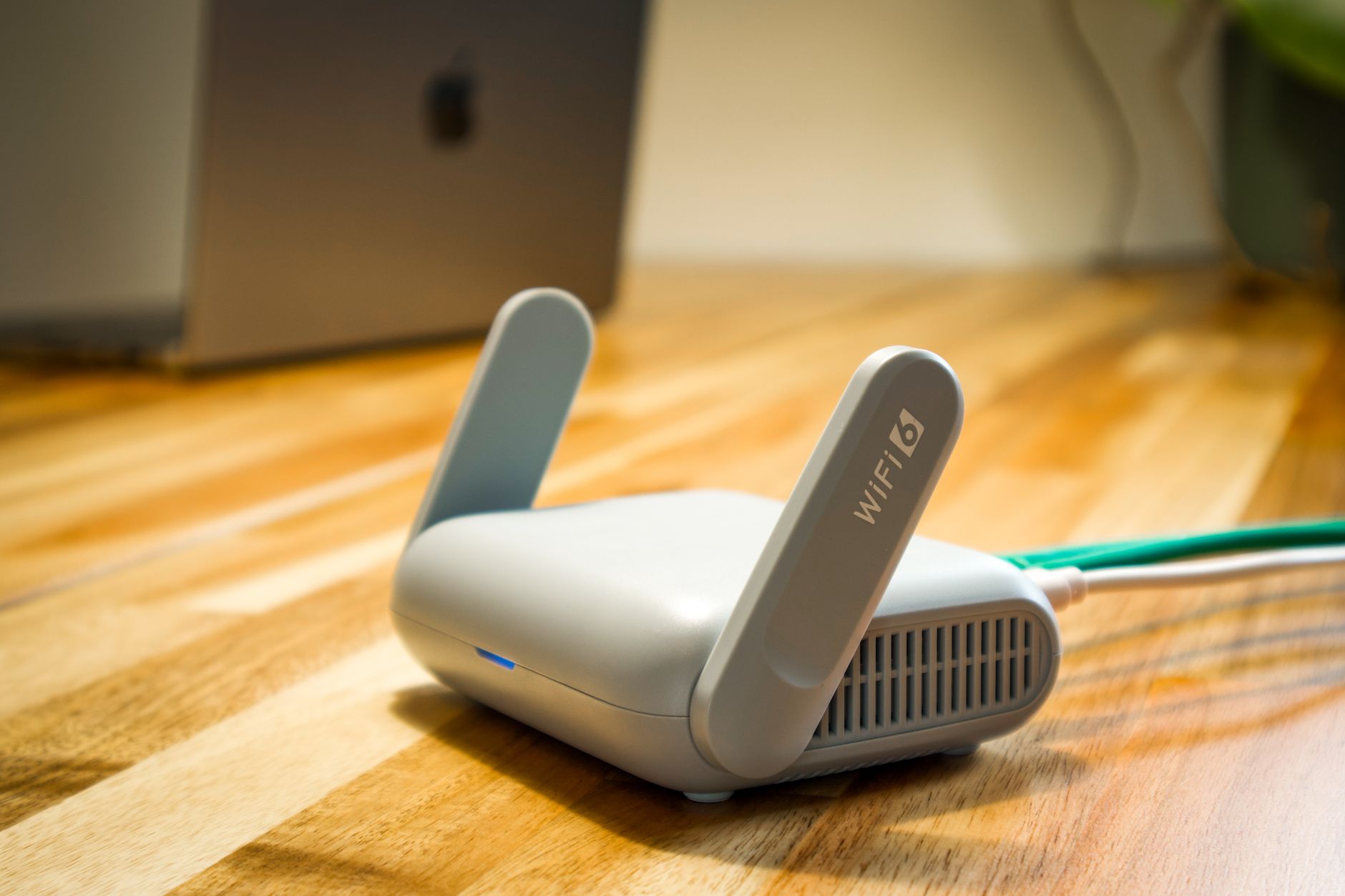
A dual band router is a type of networking device that can broadcast signals on two distinct frequency bands, typically 2.4 GHz and 5 GHz. This capability allows for improved connectivity and performance in home or business networks, catering to various devices’ needs. Understanding how a dual band router works and its applications can help users make informed decisions about their network setup.
With the rise of digital devices and smart technology, choosing the right router is essential for ensuring a reliable and fast internet connection. In this article, we will explore dual band routers in detail, explain how they work, and discuss their common uses. Furthermore, we will provide insights into selecting the best dual band router for your needs.
What Is a Dual Band Router?
A dual band router is a wireless router that supports two frequency bands, allowing users to connect devices on either band. The primary bands include:
- 2.4 GHz Band: This frequency has a longer range but can be prone to interference from other devices such as microwave ovens and Bluetooth devices.
- 5 GHz Band: This band offers higher speeds and less interference, making it suitable for activities like online gaming, video streaming, and working from home.
The dual band functionality provides flexibility, allowing users to optimize their wireless network for various uses. Devices can connect to either band based on their needs or preferences.
How Does a Dual Band Router Work?
Understanding the workings of a dual band router involves knowing its components and functionality. Here’s an overview of how it operates:
Components of a Dual Band Router
- Radio Transmitters: These components transmit signals on both frequency bands.
- Network Processor: This handles the traffic between the wired and wireless connections, ensuring optimal data transfer rates.
- Antenna System: Many dual band routers come with multiple antennas to improve signal strength and coverage in larger areas.
- Firmware: The software that runs on the router, controlling its operation and features.
Signal Transmission
When users connect a device to a dual band router, it can automatically choose the most suitable frequency based on the device’s capabilities and network conditions. If a device supports both 2.4 GHz and 5 GHz, the router can optimize connections by balancing the load between the two bands:
- Devices that need long-range connectivity or are further from the router may connect to the 2.4 GHz band.
- Devices that require high-speed data transfer, like smart TVs or gaming consoles, can connect to the 5 GHz band.
This intelligent distribution of devices helps in minimizing congestion and maximizing the overall performance of the network.
Advantages of Dual Band Routers
Using a dual band router comes with several advantages:
- Improved Speed: The dual band capability allows for faster connections, especially in environments where 5 GHz connections can be utilized.
- Reduced Interference: By providing two frequency options, interference from other devices can be lessened.
- Better Performance: Activities that demand high bandwidth, such as streaming and gaming, can benefit from the 5 GHz band, while standard browsing devices can use the 2.4 GHz band.
- Enhanced Flexibility: Users can connect multiple devices without experiencing performance degradation.
Common Uses of Dual Band Routers
Dual band routers are versatile and can be utilized in various scenarios:
Home Networking
In a typical home environment, families often have multiple devices such as smartphones, tablets, smart TVs, and laptops. A dual band router allows:
- Smartphones and tablets to connect on 2.4 GHz while streaming media on a smart TV via the 5 GHz band.
- Online gamers to enjoy lower latency connections by leveraging the 5 GHz band while family members can browse the web on the 2.4 GHz band.
Office and Business Environments
In work settings, productivity can be enhanced with sufficient bandwidth. Here’s how dual band routers contribute:
- Employees using laptops can connect to the 5 GHz band for tasks that require high speed, while conference room devices like projectors can operate on the 2.4 GHz band.
- Support for guest networks can be efficiently managed through the lower frequency band, maintaining security while providing internet access to visitors.
Public Wi-Fi Hotspots
Businesses and coffee shops often set up public Wi-Fi networks where dual band routers can provide:
- Faster access for patrons who require heavy internet usage while managing lighter usage applications.
- Efficient bandwidth management by directing different devices to the appropriate band based on their capabilities.
Considerations When Buying a Dual Band Router
When selecting a dual band router, several factors should be assessed:
Speed and Standards
The speed of a dual band router is typically defined by the wireless standards it supports, such as:
- 802.11n: Supports speeds up to 600 Mbps.
- 802.11ac: Supports much higher speeds, with theoretical maximums exceeding 1 Gbps.
- 802.11ax (Wi-Fi 6): The latest standard offering significant improvements in speed, efficiency, and capacity.
Coverage Area
Evaluate the coverage area needed in your home or office. More antennas lead to better coverage, and some features to consider are:
- MIMO (Multiple Input, Multiple Output): Allows multiple data streams for improved throughput.
- Beamforming: Focuses the Wi-Fi signal directly to connected devices, enhancing range and connectivity.
Security Features
Security is crucial when choosing a router. Look for routers that support:
- WPA3 Encryption: The latest security protocol offers the highest level of protection.
- Guest Network Support: Allows visitors to access the internet without exposing your main network.
Price
Dual band routers come in a variety of price ranges, with additional features impacting cost. Assess what features matter most for your needs against your budget.
Setting Up a Dual Band Router
The setup process for a dual band router typically involves these steps:
- Connect Your Router: Plug in the router’s power cable and connect it to your modem using an Ethernet cable.
- Access the Router’s Interface: Connect a computer or device to the router and open a web browser. Enter the router’s IP address (often
192.168.1.1or192.168.0.1) in the address bar. - Log In: Use the default username and password provided in the router’s documentation (often “admin” for both). Change these credentials for security.
- Configure Wireless Settings: Locate the wireless settings section. Enable both the 2.4 GHz and 5 GHz bands. Set unique SSIDs (network names) and strong passwords for each band.
- Adjust Additional Features: Configure security settings, guest networks, quality of service (QoS), and firmware updates as needed.
- Save Changes: Save your settings and reboot the router if prompted.
After your router restarts, connect your devices to the appropriate SSIDs based on their capabilities and needs.
Troubleshooting Common Dual Band Router Issues
While dual band routers are generally reliable, users may encounter issues. Here are some common problems and solutions:
Poor Signal Strength
- Check for physical obstructions between the router and devices. Walls, furniture, and appliances can weaken signals.
- Ensure the router is centrally located in your home or office.
- Adjust the router’s antenna positions to optimize coverage.
Devices Not Connecting
- Verify that the device supports the frequency band you are trying to connect to.
- Double-check the password entered for the wireless network.
- Restart both the devices and the router to refresh connections.
Slow Internet Speeds
- Test speeds on different devices to identify if the problem is device-specific.
- Use an Ethernet connection to rule out Wi-Fi-related issues.
- Limit the number of devices connected to improve overall performance.
Final Thoughts on Dual Band Routers
A dual band router is an essential component of modern connectivity, allowing for enhanced speed and versatility in home and office networks. Whether you are streaming films, gaming, or simply browsing the web, understanding the function and advantages of dual band routers can significantly improve your online experience.
When selecting a dual band router, consider your specific needs, the device capabilities, and how you intend to use your internet connection. Following the setup and troubleshooting guidelines will prepare you to get the most out of your dual band router.
For further reading, consider exploring additional resources on what routers are and how to set up a router to enhance your understanding of networking technology.